Picture an evaluator with a score sheet of 25 criteria and six proposals to read by Friday. For criterion 3.4, she has two questions: where is the answer, and is it any good? Your headings answer the first question before she reads a single sentence of body text. Done well, they start answering the second one too.

A proposal heading has two jobs: help the evaluator find the answer, and tell them why the answer matters. The APMP Body of Knowledge compares headings to the headlines of a newspaper or a web page. A reader who only scans them should still get the outline of your story, and a proposal that is easy to navigate is easier to score. Findability comes first, because an answer an evaluator can't locate earns nothing. The message comes second, wherever the rules leave you room.
This series works through the APMP Body of Knowledge as summarized in the APMP Foundation Study Guide. Episode 17 was about writing so the evaluator understands you on the first read. This one moves up a level, to the lines a reader sees before any sentence: the headings.
What headings do for evaluators
The Study Guide lists five things compelling headings achieve. In my words:
| What a heading does | Why the evaluator cares |
|---|---|
| Breaks up long text | A wall of prose becomes sections the reader can take one at a time |
| Makes key information easy to find | The answer to each question sits where the reader looks for it |
| Simplifies complex material | A clear label tells the reader what a dense passage is about before they start it |
| Makes scoring easier | The evaluator can match a criterion to a section without hunting |
| Guides the reader through your story | Read in sequence, the headings alone carry your argument |
Good headings, the guide adds, convey a clear message, catch attention, and speak to the evaluators' hot buttons or to specific requirements. They are also the obvious place to put your benefits and discriminators (see episode 9).
Two kinds of reader rely on them. Formal evaluators score particular responses against stated evaluation criteria, so they need to land on the right answer quickly. Informal evaluators, such as a senior manager or a user who reads part of the proposal, go straight to the topics they care about. Clear headings serve both: one navigates by criterion, the other by interest.
Rule one: follow the RFP's headings
Before you write a clever heading, check what the bid request tells you to do. The Study Guide's first best practice is plain: follow the instructions exactly, including the heading wording, the numbering scheme and the number of heading levels.
If the instructions don't set a heading format, use the main headings and subheadings of the bid request itself, in the same order. When your headings mirror the topics and sequence the evaluators are working from, finding the response to each evaluation question takes seconds. There is one sensible exception: don't copy the RFP's mistakes. If it misspells a word or skips a number, fix it.
Why insist on this? Because the evaluator built the score sheet from the RFP, not from your proposal. Every time your outline differs from theirs, the evaluator has to translate, and translation costs patience. This is the same logic as the compliance matrix in episode 12: each requirement has one place to be answered, and the evaluator should know where that is without asking.
Active headings: keep the label, add the message
Following the RFP's headings doesn't always mean stopping there. Where the instructions allow it, you can keep the RFP's wording and extend it with a supporting detail that states a benefit. The Study Guide calls these benefit-led versions active headings: their purpose is to pull the reader into the section that follows. Here is an example written for this article:
| Exact RFP heading (when dictated) | Active heading (when the rules allow) |
|---|---|
| 4.0 Service Desk | 4.0 Service Desk: One Number, Answered Within 30 Seconds, Day and Night |
| 4.1 Staffing | 4.1 Staffing: 12 Agents Who Already Know Your Systems |
| 4.2 Escalation | 4.2 Escalation: Urgent Faults Reach an Engineer in 15 Minutes |
Notice that each active heading still starts with the RFP's number and label. The evaluator finds 4.2 exactly where it should be; the added words tell them what they get. If the instructions dictate exact headings, use them unchanged and move the message into the first sentence below the heading instead.
Put benefits and discriminators in the heading
The Study Guide calls benefits and discriminators the most important message you have to deliver to evaluators. A heading is where many readers meet that message first, and for a skimming reader it may be the only place they meet it. So use headings to catch attention and to say what sets you apart.
Names your product
"Introducing FieldTrack 5.0, Our Next-Generation Inspection Platform"
Names their gain
"FieldTrack 5.0 Puts Inspection Reports Online Before Inspectors Leave the Site"
The first heading is about the bidder: a product name and a version number. The second is about the customer: what changes for their inspectors and how fast. Both are short, but only the second gives an evaluator a reason to read on, and a phrase to copy into their score justification. This is the same move episode 8 made for theme statements, compressed to a single line.

Informative or telegraphic headings
The Study Guide distinguishes two styles and gives each a place.
| Informative heading | Telegraphic heading | |
|---|---|---|
| What it is | A short statement of content and benefit | A bare label |
| What it does | Signals a new topic, shows the benefit, can link a feature to a benefit and name a discriminator | Marks a standard part of the document |
| Where to use it | Sections where you are making your case | Executive summary, overview, technical volume, appendices, clarifications |
| Example | "Two-Stage Data Checks Catch Errors Before Go-Live" | "Appendices" |
Informative headings let evaluators see at once what a section contains and what their organization gains from it, which keeps them reading. Telegraphic headings are less engaging, but nobody needs to be persuaded to open the appendices. Use the label where a label is all the reader needs.

Verbs for action, nouns for answers
The grammar of a heading also sends a signal.
- Verb headings persuade by showing the action and its result if the customer chooses you, for example "Cut Permit Wait Times by Moving Completeness Checks Online". Keep the tense the same in every verb heading across the document.
- Noun headings suit direct answers to direct questions. If the RFP asks for the warranty period, a heading like "Three-Year On-Site Warranty" gives the answer before the evaluator reads a word of the text.
- Question headings are best kept rare or avoided. A heading such as "Can We Meet Your Timeline?" makes the reader wonder whether you can, which is the opposite of what you want.
Answering a key question in the heading itself is one of the most useful habits in this chapter. It saves the evaluator from reading a full section to find a single fact, and it puts your answer in the place they are most likely to see it.
Section introductions: an informal table of contents
A short paragraph at the start of each section tells evaluators what the section is about and what to expect in it. Proposal professionals call it a section introduction or an informal table of contents. It works like the legend on a map: read it first, and the subheadings that follow make sense at once.
The rule that makes it work is simple: the subheadings should repeat the wording of the introduction's topic list exactly. Here is an example written for this article:
5.0 Training
Your RFP asks for every clerk at the 14 district offices to be using the new case system within ten weeks of go-live. Our training plan covers:
5.1 Training District Trainers
5.2 Running Hands-On Clerk Workshops
5.3 Supporting Clerks in Their First Month
5.4 Measuring Readiness Before Go-Live
Further down, the subheadings keep those words and add what is specific: "5.1 Training District Trainers in Two Groups of Seven", "5.2 Running Hands-On Clerk Workshops at Every Office", and so on. The evaluator who read the list can jump straight to the item they need.
The weak point is maintenance. When a writer adds, removes or renames a subsection late in the schedule, the introduction quietly goes out of date. The Study Guide's advice is to recheck the introduction whenever a section or one of its headings changes, so the list and the headings always match.
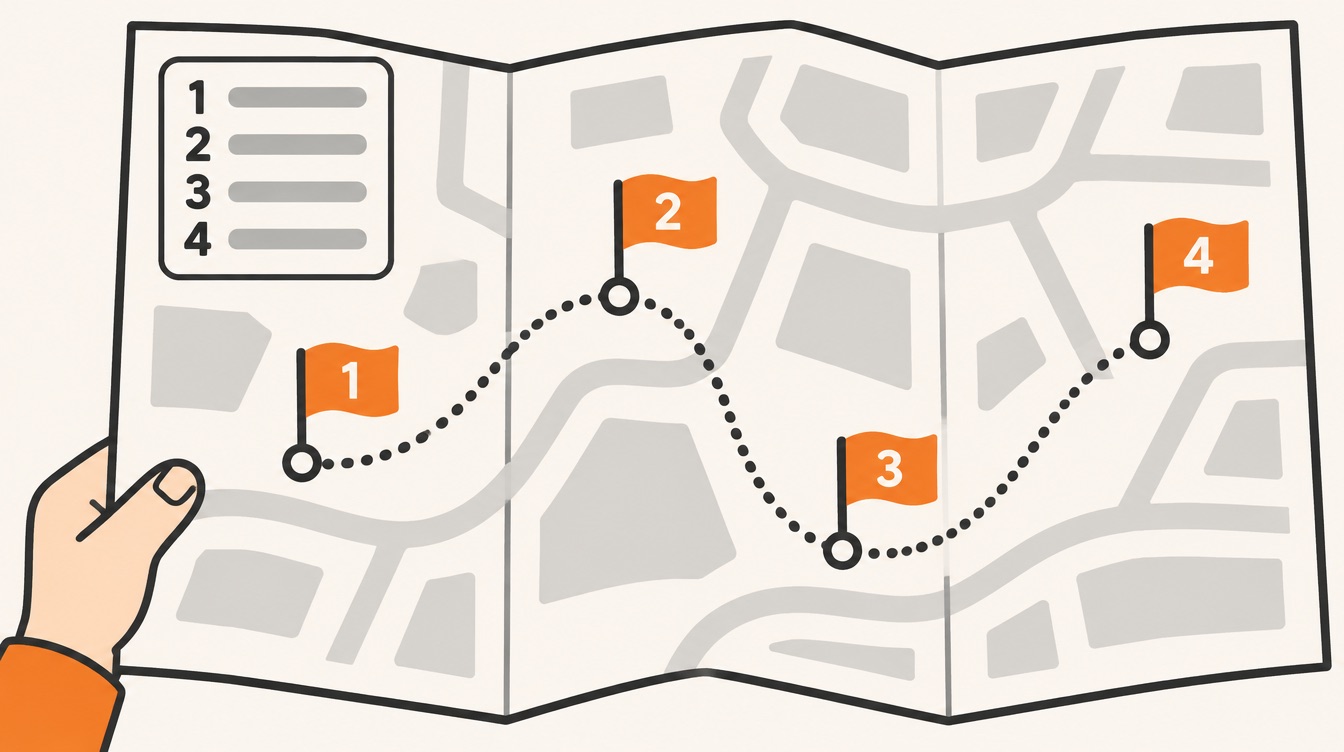
A short introduction under an active heading
Some bids are long questionnaires, where the format leaves little room for a story. There, the Study Guide suggests short introductions at the start of major sections, within the rules, that summarize the key points to come. A few sentences under a strong heading can shape the evaluator's view before they reach the detailed answers. An example written for this article:
This section answers each of the 42 security questions in your RFP. Every answer meets your requirements in full. You will also see how our security lead joins your quarterly risk review, so you see findings as they emerge rather than in an annual report.
Three sentences: what the section contains, that it is compliant, and one discriminator the customer will value. The evaluator starts the detail already knowing what to look for.
Build a clear hierarchy
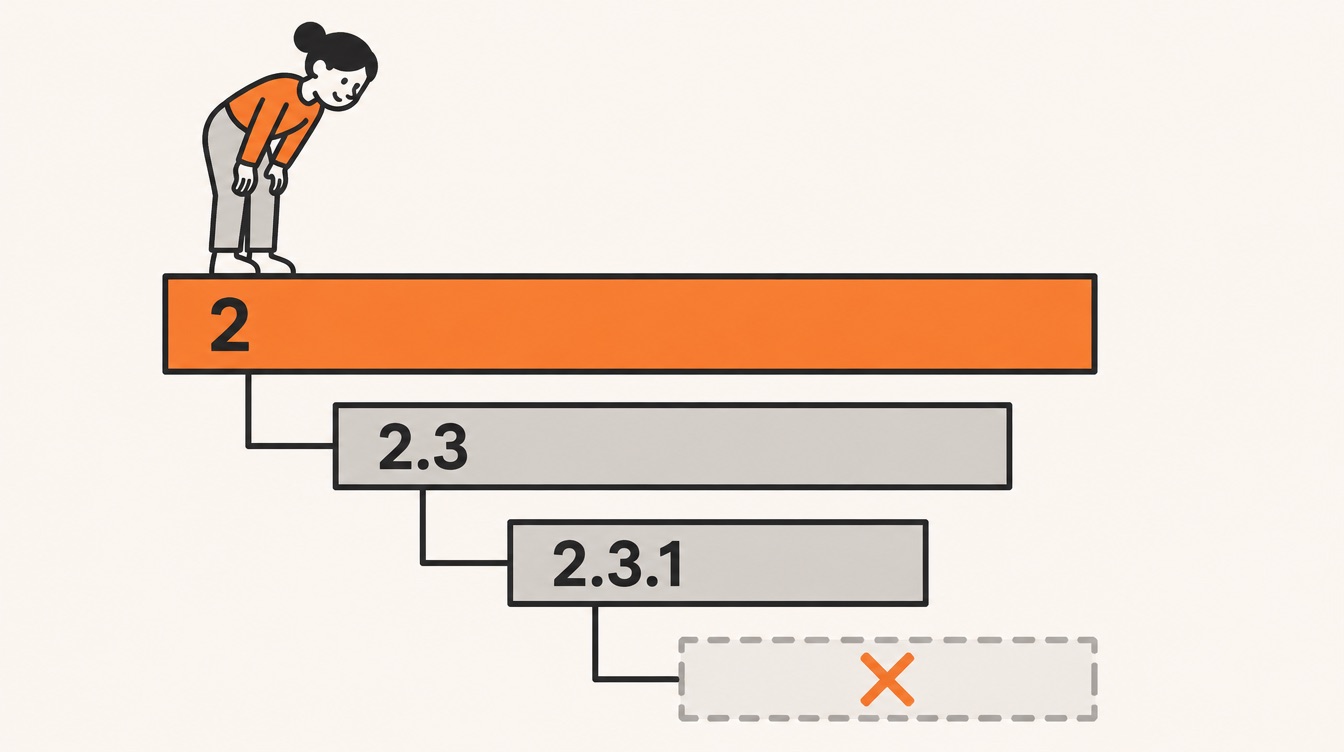
Heading levels are a promise about how ideas relate. A second-level heading should clearly belong to the first-level heading above it, and a third-level heading to its second-level parent. If a subheading could sit under any section, the structure is confusing the reader.
- Number your headings in longer proposals. The Study Guide notes that numbering helps evaluators find responses in proposals of more than about ten pages.
- Stop at three levels. Beyond that, readers lose track of where they are. 2.3.1 is fine; 2.3.1.4 is a warning sign.
- Use run-in headings below the third level. A run-in heading is a short phrase in bold or a larger size at the start of a paragraph, followed by a period or colon and then the text. It gives the effect of a new subhead without adding a level.
For example, under "2.3.1 Migration Testing" you might write: Volume test. We load a full copy of last year's records and compare totals line by line. Rollback test. We reverse the migration in the test environment and confirm the old system restarts cleanly. Two subtopics, no fourth level.
Keep headings consistent
Headings can sit left, right or centered, be indented or run in. The style matters less than consistency: every heading at the same level should look the same throughout the proposal. If one heading is bigger, bolder or a different color than its peers, there should be a reason, or the reader will look for a meaning that isn't there.
When you do need to distinguish levels, the Study Guide gives an order to vary them in, from first choice to last: font size, then bold, then color, then italics, then a change of font, then all capitals, and finally underlining. In practice most proposals need only the first two or three.
Parallel form
Headings should also be grammatically consistent. Parallel form means phrasing similar items in a similar way, so the evaluator can move through the proposal without stumbling over shifts in structure. An example written for this article, for a section about a records system:
| Not parallel | Parallel |
|---|---|
| Why Are Records Getting Lost? | Where Records Get Lost Today |
| Our Scanning Approach | How We Scan the Backlog |
| Getting It Done by June | When Each Office Goes Live |
| Costs | What Each Phase Costs |
| The People | Who Leads Each Phase |
The left column mixes a question, a noun phrase, a gerund and two bare labels. The right column uses one pattern, a question word followed by a statement, so the headings read as a set. Any consistent pattern works; what matters is choosing one and keeping it.
Consistency is easier to keep when it is built in. The Study Guide recommends that proposal teams maintain their own library of heading styles, so every writer and every proposal starts from the same templates.
Common mistakes
- Renaming the RFP's sections. A heading that is more elegant than the RFP's but no longer matches it makes the evaluator search. Keep the RFP's label and add to it.
- Writing headings about yourself. Product names, version numbers and "Our Approach" tell the evaluator nothing they can score. Say what the customer gains.
- Letting the section introduction drift. A topic list that no longer matches the subheadings is worse than no list, because it sends the reader to sections that don't exist.
- Too many levels. If you reach a fourth level, use run-in headings or split the section.
- Mixed patterns. Questions, labels and sentences side by side at one level make the structure harder to see. Pick a pattern for each level.
Checklist for your next proposal
- Read the heading instructions in the RFP: wording, numbering and levels. If they're dictated, follow them exactly.
- If they aren't, copy the RFP's headings and order into your outline, correcting only obvious errors.
- Turn content headings into active headings where allowed: keep the RFP's label and add one benefit or discriminator.
- Answer direct questions in noun headings, keep verb headings in one tense, and remove question headings.
- Use telegraphic labels only for standard sections such as appendices.
- Write a short introduction for each major section whose topic list matches the subheadings word for word, and recheck it after every edit.
- Number headings and stop at three levels; use run-in headings below that.
- Check each level for visual and grammatical consistency, and save your heading styles in a shared library.
- Read only the headings, top to bottom. Do they tell your story, and could an evaluator score from them?
Where Contrl fits
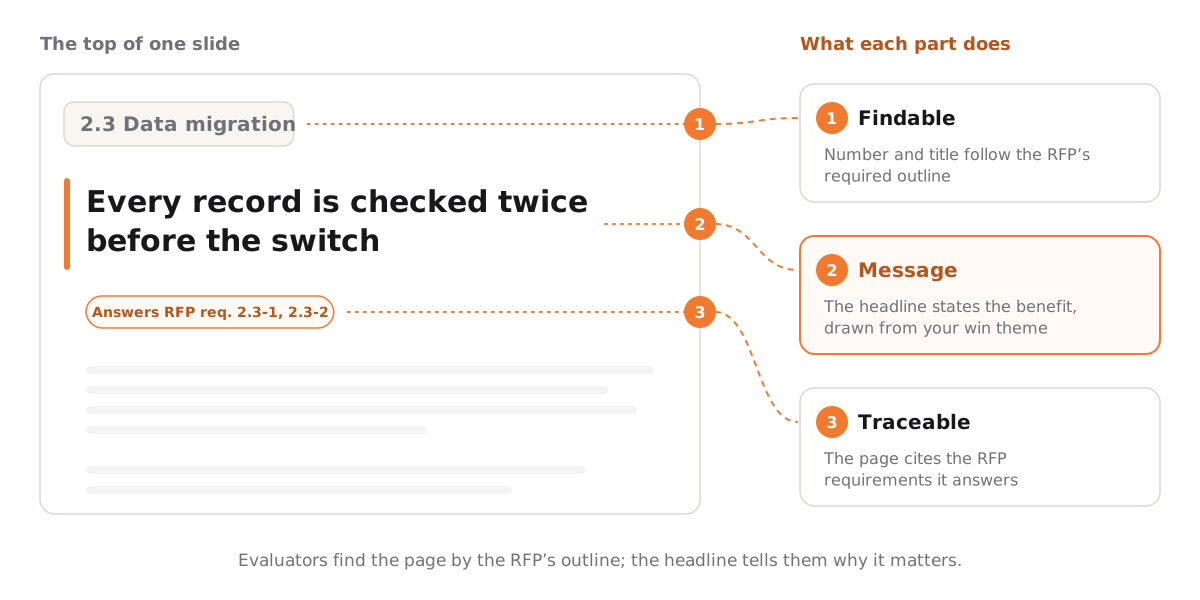
A good heading is both findable and meaningful, and in Contrl those two jobs are kept apart so neither gets lost. The section numbers and titles come from the RFP: when you upload it, Contrl extracts the required outline and evaluation criteria and maps every requirement to a section of that outline, so the evaluator finds each answer where the RFP put the question. That leaves each slide's headline free to carry the message, built from the win theme and the key sentence you chose for the section. Each page also cites the RFP requirements it answers, so even a headline that leaves the RFP's wording behind stays traceable to the item being scored.
Next in the series
Headings tell the evaluator where to look. Graphics show them the idea before they read it. Episode 19 covers Graphics: why a proposal visual is a design tool you draft early, not decoration you add at the end.
This article is an independent study companion based on the APMP Foundation Study Guide, version 4.2 (© 2025 APMP), which summarizes the APMP Body of Knowledge. It paraphrases and comments on that material and is not endorsed by APMP. The evaluator scene, all example headings (service desk, FieldTrack, parallel headings and others), the training-section introduction, the security-questionnaire introduction and the run-in heading example were written for this article, and their figures are illustrative; no customer is named. For the authoritative text and certification information, see apmp.org.